Free · self-hosted · Ubuntu 24.04 LTS

A free full-node panel
you run on your server

RpcNode Toolkit is free, self-hosted software. Put the agent on Ubuntu 24.04 LTS, open the panel, and install Bitcoin, Ethereum, TRON, Solana and 19 other full nodes — full history, your disks, your RPC. No license and no cloud lock-in.

Supported and recommended: Ubuntu 24.04 LTS (amd64 or arm64). Other operating systems have not been tested.

bash
curl -fsSL "https://toolkit.rpcnode.dev/install/agent.sh" | sudo bash
23networks
57environments
fullhistory, not prune
1agent per host
$0Toolkit license

Free

No license. No seat fee.

RpcNode Toolkit is free software. You do not pay us to run the panel, the host agent, or as many full nodes as your hardware can hold. There is no Toolkit subscription and no per-node charge. You pay only for the server, disk, and bandwidth you already own.

Self-host

On your server. Under your keys.

Install it on Ubuntu 24.04 LTS you control — a dedicated box, a VPS, or a rack at home. The control panel and the node processes stay on your infrastructure. RpcNode does not hold the chain, the RPC port, or the agent token. Your disks, your firewall, your RPC.

Operate

You run the node. You change the config.

After install the panel is the control plane: Node Config edits the live files (bitcoin.conf, java-tron, xrpld, geth flags), restart, client pin, logs, public RPC. Install choices — TRON snapshot flavor, XRPL history window, disk layout — are saved on the node. No SSH to “fix conf by hand”.

What Toolkit is

Toolkit is a self-hosted control plane for blockchain full nodes. One Ubuntu 24.04 LTS agent per server, one panel for the fleet. You add a host, pick a network — Bitcoin, Ethereum, TRON, Solana, and 19 others — and the panel walks install, snapshot when the chain has one, start, and sync. After that you administer the node from the same UI: Node Config, logs, disk IOPS, client updates, restart, public RPC.

It is not a hosted RPC product and not a light wallet. Every node is a full history node: no prune-by-default, no seven-day window. Bitcoin ships with txindex=1 and prune=0. EVM chains run unpruned / archive as the network expects. Stellar keeps history instead of the stock week. Synced means a live tip and history proof — not a green badge on an empty ledger. I am Toolkit. I put the full node on your server.

The installer is a single script. It places rpcnode-api-agent and rpcnode-system-agent on the host, enables systemd, and prints an Agent URL plus AGENT_API_TOKEN. You paste those into the panel. There is no remote SSH from our cloud into your box.

  1. 01

    Panel on your ops host

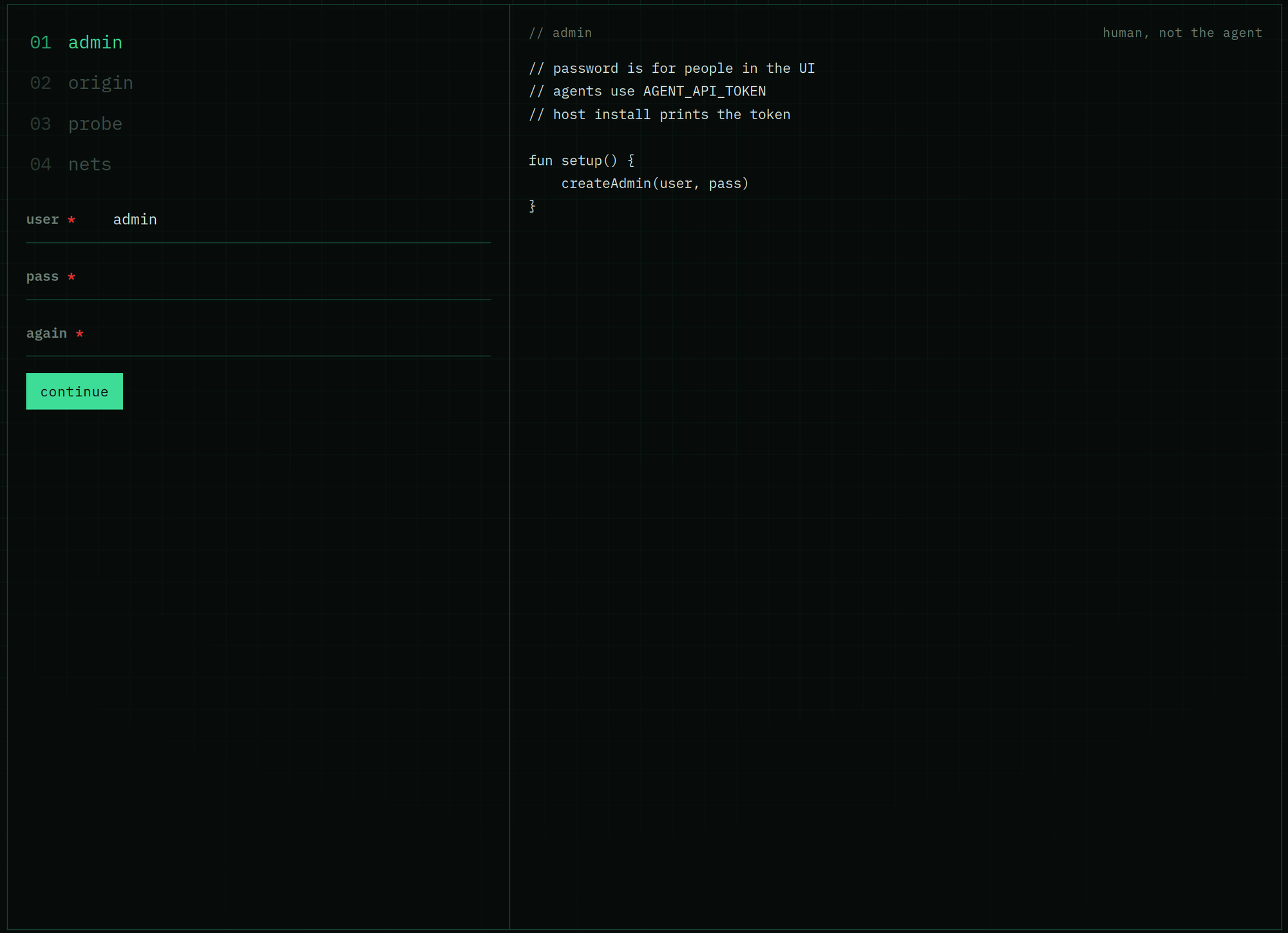
    Run the self-hosted panel (Docker on a machine you operate). It talks to agents. It is not the fullnode.

  2. 02

    Agent on each node server

    One curl per Ubuntu 24.04 LTS host. That agent is the identity of the server — Bitcoin, TRON, and Solana are profiles on the same product, not separate installers.

  3. 03

    Add node in the UI

    Network → environment → server, then the NODE SETUP wizard: Check ports → Install → Snapshot (when the chain has one) → Start / sync → Healthy. Step-by-step. Sync %, logs, per-disk IOPS, and RPC stay on the node page.

What you get on the node

  • Network state — Sync status on the node page: SYNCED or catching up, your slot / height vs the network tip, peers, Healthy / Running / Node online. The bar is honest (IBD, snapshot, slots behind) — 100% only with live tip and history proof, not a green badge on an empty ledger.
  • Host & node consumption — CPU, RAM, net ↓/↑, disk IOPS side by side: the whole server vs this node unit (cgroup). Disk tabs per NVMe: read/write IOPS, MB/s, load %, free space. Solana ledger vs accounts are not one blended number.
  • Journal and agent logs in the panel. Host audit for discrete ops, not process chatter.
  • Node Config — read and edit the node’s live config from the panel, then restart. Install options (which snapshot, how much XRPL history) stay on the node record.
  • Client pin from the catalog. Re-apply a new version from the node page.
  • RPC load — Fullnode Go RPC (public proxy): RPS 1m / 5m, latency p50 / p95, in-flight, 4xx / 5xx / 502 / 503 / upstream errors, and a live RPS chart. Clients hit the proxy, not the node process directly.
  • Telegram alerts for disk, CPU, RPC errors, node down / recovered.
Is RpcNode Toolkit free?
Yes. The panel, the host agent, and node administration are free to self-host. No Toolkit license. You cover your own servers and traffic.
What does self-host mean here?
You install the software on hardware you control. The fullnode binary, datadir, and RPC listen on that machine. We do not run the node for you and we do not keep a copy of the chain.
Can I change the node config after install?
Yes. Open the node page → Node Config. The panel loads the files the agent wrote (conf, toml, HOCON, flags) and lets you edit and apply them. Install-time choices such as a TRON snapshot flavor are stored on the node; switching a snapshot kind means wipe and Add node again — the LevelDB is already a different dataset.
What does network state show?
Sync status: your node vs the public tip (slot, height, block), peer count, and badges (Synced, Healthy, Running). Synced is not “RPC answers” — the agent proves history, then paints 100%.
Can I see RPC load on the node?
Yes. Fullnode Go RPC on the node page is the public proxy: requests per second, latency, in-flight, and error classes (5xx, 502, 503, upstream). Zero RPS means no clients are calling that endpoint yet — the node can still be Synced.
Does Toolkit monitor host and node consumption?
Yes. Host & node splits the server from this fullnode unit: CPU, RAM, network Mbps, disk IOPS (cgroup accounting). Each physical disk has its own tab — IOPS, load %, free space. Telegram can alert on disk and CPU.
Can I put it on my own VPS or bare metal?
Yes. One agent per Ubuntu 24.04 LTS server; several networks can share a host on separate ports (some chains allow only one environment per machine). You need enough disk for full history. Supported and recommended: Ubuntu 24.04 LTS (amd64 or arm64). Other operating systems have not been tested.
Which OS do you support?
Supported and recommended: Ubuntu 24.04 LTS (amd64 or arm64). Other operating systems have not been tested.
How is this different from managed RPC on rpcnode.dev?
Managed RPC is our hosted endpoints. Toolkit is the open install path if you want the same catalog of full nodes on your servers. You can use one, the other, or both.
Can you add another network? Other questions?
Join the Telegram group, write to admin@rpcnode.dev, or open rpcnode.dev — new chains, install problems, or anything else about Toolkit.

Install on your serverSupported networksVersionsTelegramSource on GitHubadmin@rpcnode.devrpcnode.dev

Community

Ask in Telegram

Questions, ideas, a network you want added — write in @rpcnodetoolkit. The group is open.

Open Telegram

Panel

What you see after install

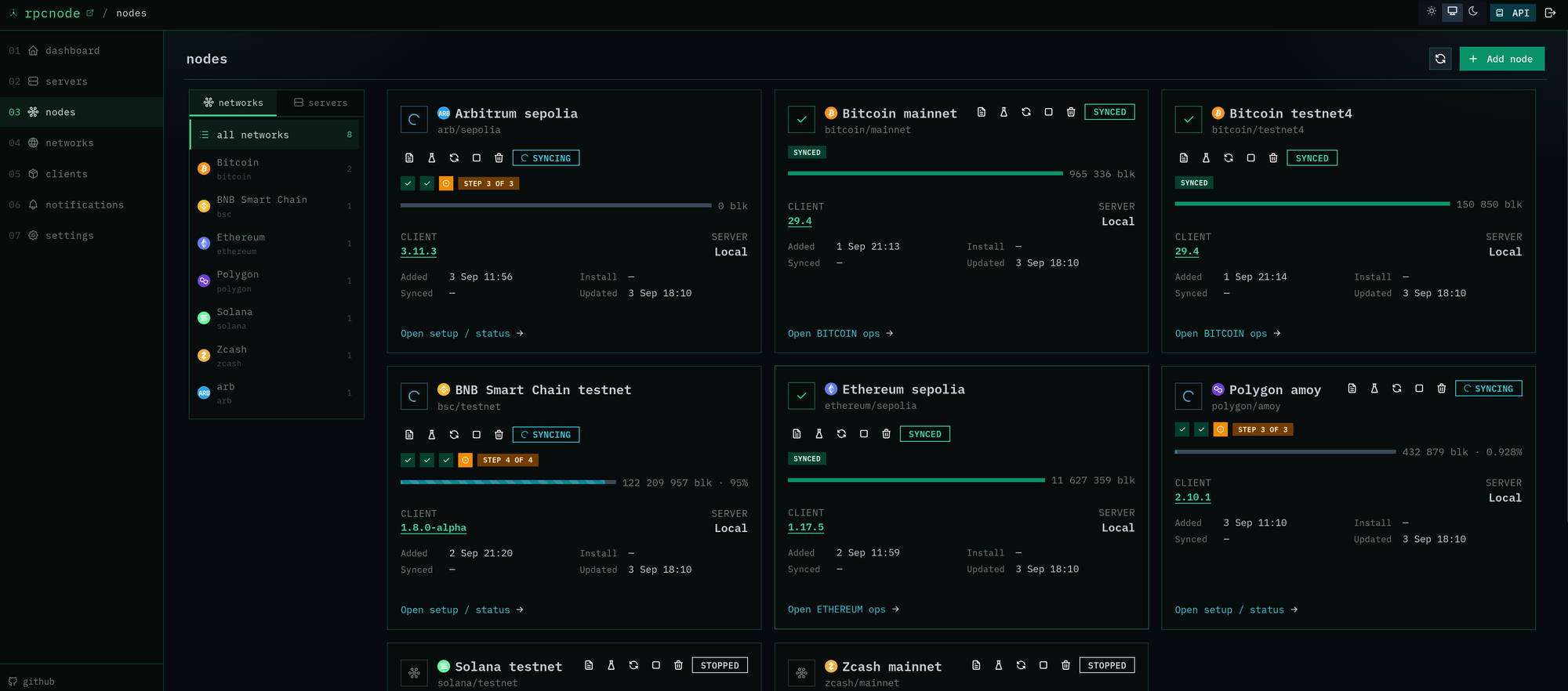
The self-hosted UI — servers, nodes, add-node, and the setup wizard.

RpcNode panel — Nodes list with sync status, client version, and RPC rps

01

Nodes

Every full node on one screen. Filter by network or server.

  • Network state: SYNCED / CATCHING UP, node vs tip, height, peers
  • Client version and LATEST when the catalog pin matches
  • Host vs this node: CPU, RAM, net, disk IOPS, RPC rps — open logs, restart, or remove from the card
RpcNode panel — Servers grid with CPU, RAM, disk, and agent version

02

Servers

Hosts first. The agent is the server — networks come when you add a node.

  • CPU, RAM, per-disk IOPS and free space, load, OS — live from the tip agent
  • Agent version vs the CDN channel; Update one or Update all
  • Add server: install curl → Agent URL + token → Check connection
RpcNode panel — Add node wizard, step Server with disk free and total

03

Add node

Three clicks: network → environment → server.

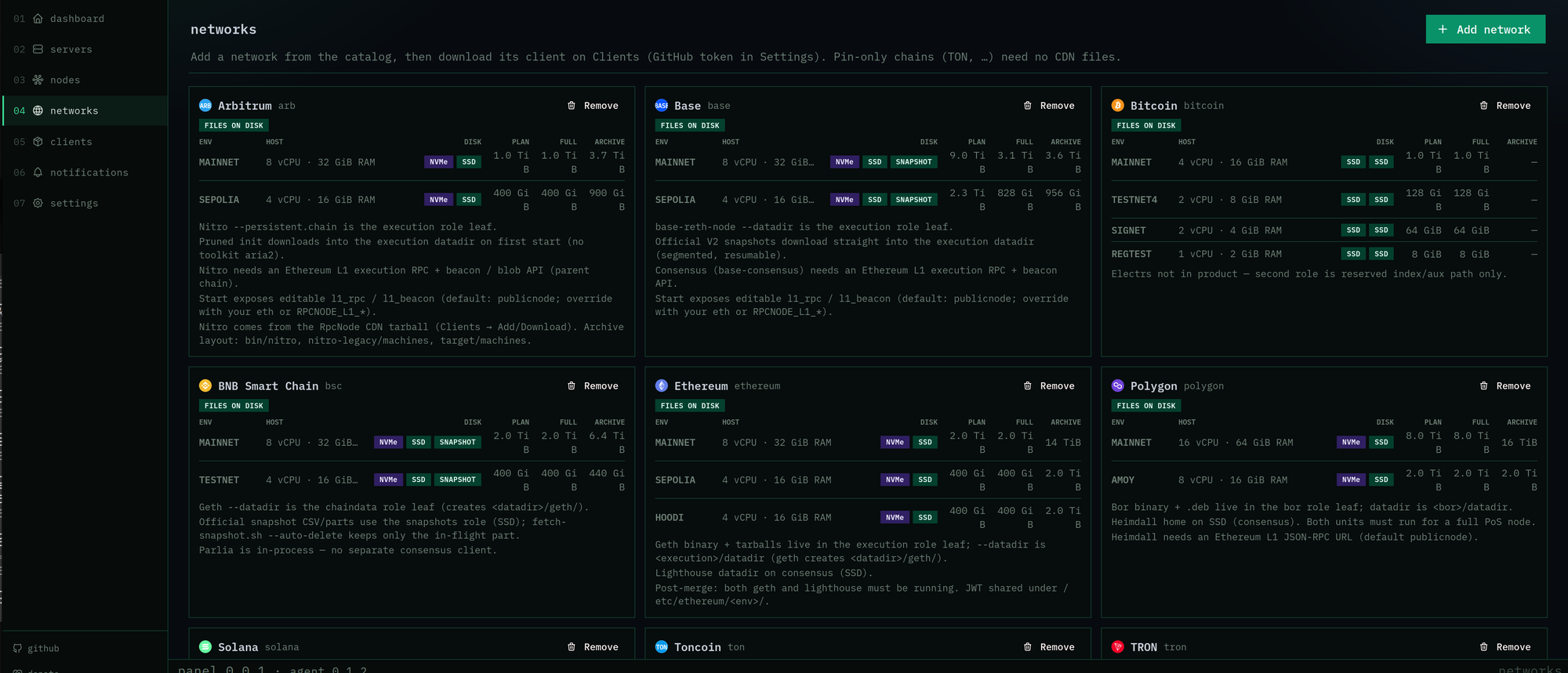
  • Catalog of Bitcoin, Ethereum, TRON, Solana, and the rest
  • Server picker shows free / total disk from the host
  • Duplicate network + env on the same host is blocked
RpcNode panel — TRON mainnet sync and NODE SETUP snapshot step

04

Node page

Sync status, then NODE SETUP, then Host & node consumption. Same order on every chain.

  • Network state first: SYNCED, node slot vs network tip, height, peers, Healthy
  • Wizard: ports → install → snapshot (when the chain has one) → start
  • Snapshot and IBD percent from the real log — not a fake bar
  • Host & node: CPU, RAM, net Mbps, disk IOPS — host NIC vs this unit (cgroup)
  • Per-NVMe tabs: IOPS, load %, free space (ledger vs accounts stay separate)
  • Fullnode Go RPC: RPS, latency, errors on the public proxy
  • Node Config, restart, remove — you operate the node from here

Networks